
Audit 100% of your entries. Catch errors before they hit the statement.
Stop auditing a sample of your entries and hoping the rest are right.
Quickcode lets your team audit every entry line against what should have been declared, flag errors before they become a bigger problem, and track corrections through to the next report.
See the exceptions. Send the correction electronically to your broker. Seamlessly confirm the fix.
Get Entries enabled for your team and see how it fits your workflow or book a demo.
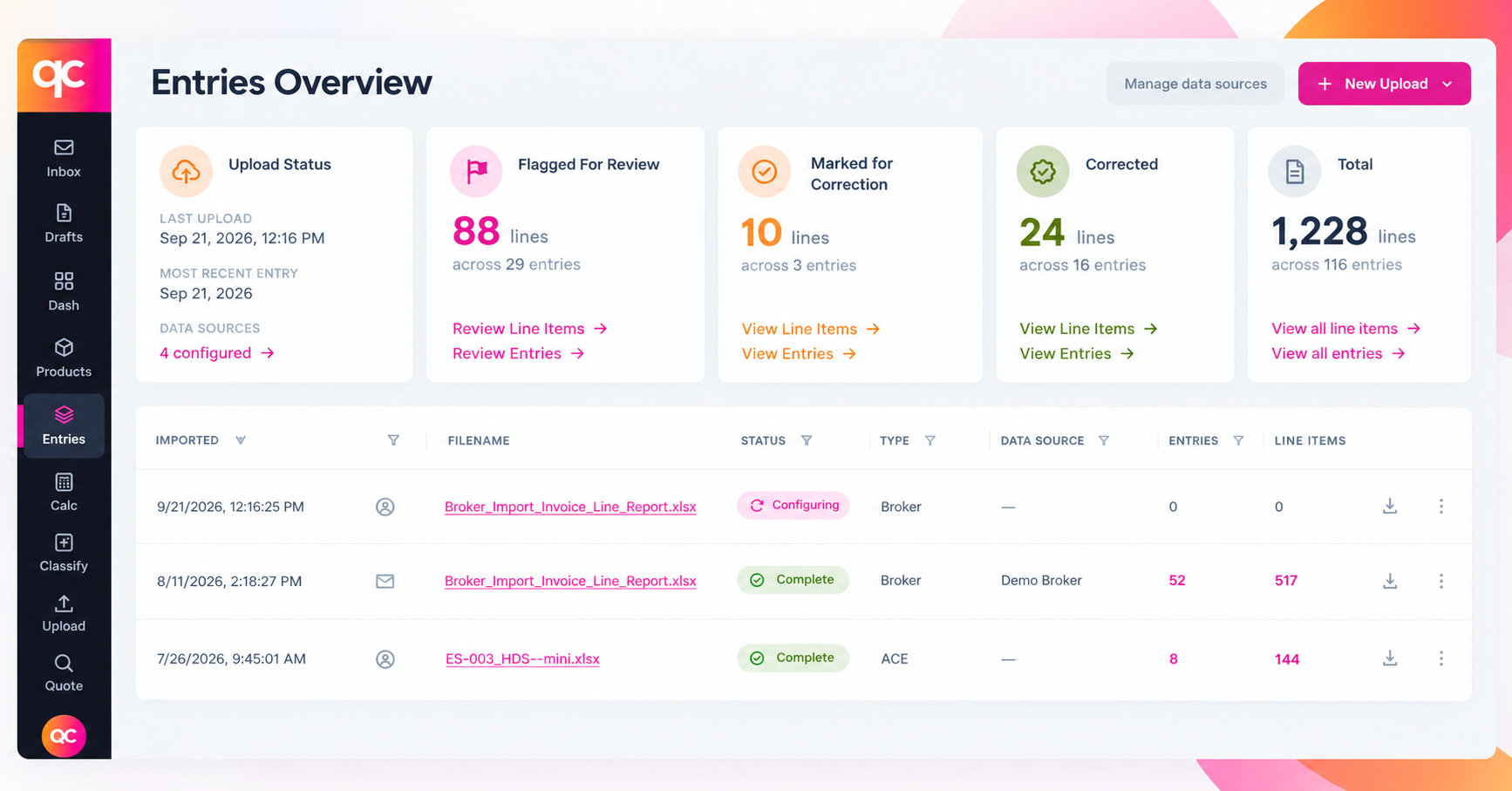
An audit loop that closes itself
Quickcode pulls your entry data on a schedule, audits it, and tracks each correction through to confirmation. You work the exceptions. It handles the bookkeeping.
BRING IN THE DATA
Quickcode continuously pulls your ACE entry summary lines (ES-003) and your broker data. Setup is as light as scheduling a nightly CSV export from your broker.
MARK LINES FOR CORRECTION
Every line is validated against what should have been declared. Flag the ones that need fixing, and Quickcode holds them together as a working set.
GENERATE THE BROKER EMAIL
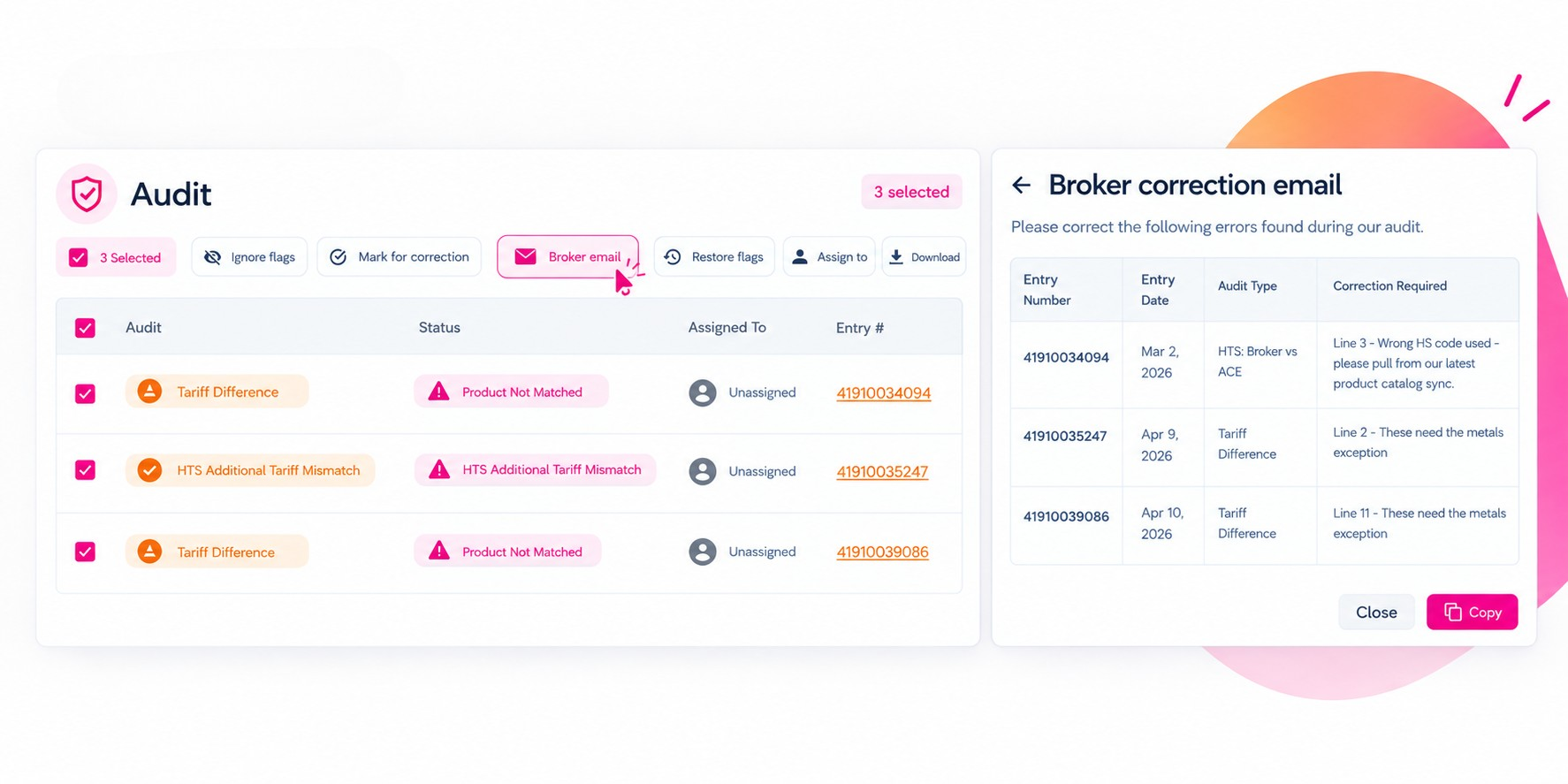
Hit Broker email and Quickcode writes the correction message for you: each flagged entry, its audit type, and the fix. Copy it into your email to your broker.
WATCH THEM CLOSE
When the corrected report shows up in your next ACE or broker export, Quickcode re-audits and clears those lines, so you can prove the change went through.
The broker email, generated for you
The handoff most teams stitch together by hand, pulling entry numbers into a message and hoping nothing is missed, is one click.
Every flagged entry, its audit type, and what needs to change, with the request already written. Copy it and send.
A practical, execution-focused guide to auditing import entries at the data level: what to test across the big determinations, how to risk-rank entries, what audit-ready evidence looks like, and where sample-based audits miss systemic issues.
Quickcode’s Tariff Calculator makes tariff assignment fast, automatic, and accurate. Answer a few simple questions, like whether a product is an auto part, and Quickcode applies the correct tariffs with minimal manual input. Beyond assigning tariffs, it connects classifications to landed cost, duties, AD/CVDs, PGAs, and other trade controls, giving sourcing and compliance teams the data they need to model cost, assess exposure, and make better buying decisions.
Staying compliant with ever-changing trade regulations is critical for protecting your bottom line and avoiding costly delays at the border. In today’s fast-paced global trade environment, regulatory updates can happen at any time, often without warning. That’s why Quickcode’s 24/7 Compliance Monitoring works around the clock to ensure your product catalog is always aligned with the latest tariff codes, regulations, and Partner Government Agency (PGA) requirements. By continuously scanning for updates, Quickcode ensures you’re never caught off guard by changes that could disrupt your operations.
Turn on Entry Audit for your team
Entry Audit is part of the Importers and Manufacturers plan. Request access or book a demo and we will enable it on your account, then walk your team through auditing your own entries.